
Download Official Form 3586 (PDF)
Opens the official government PDF in a new tab
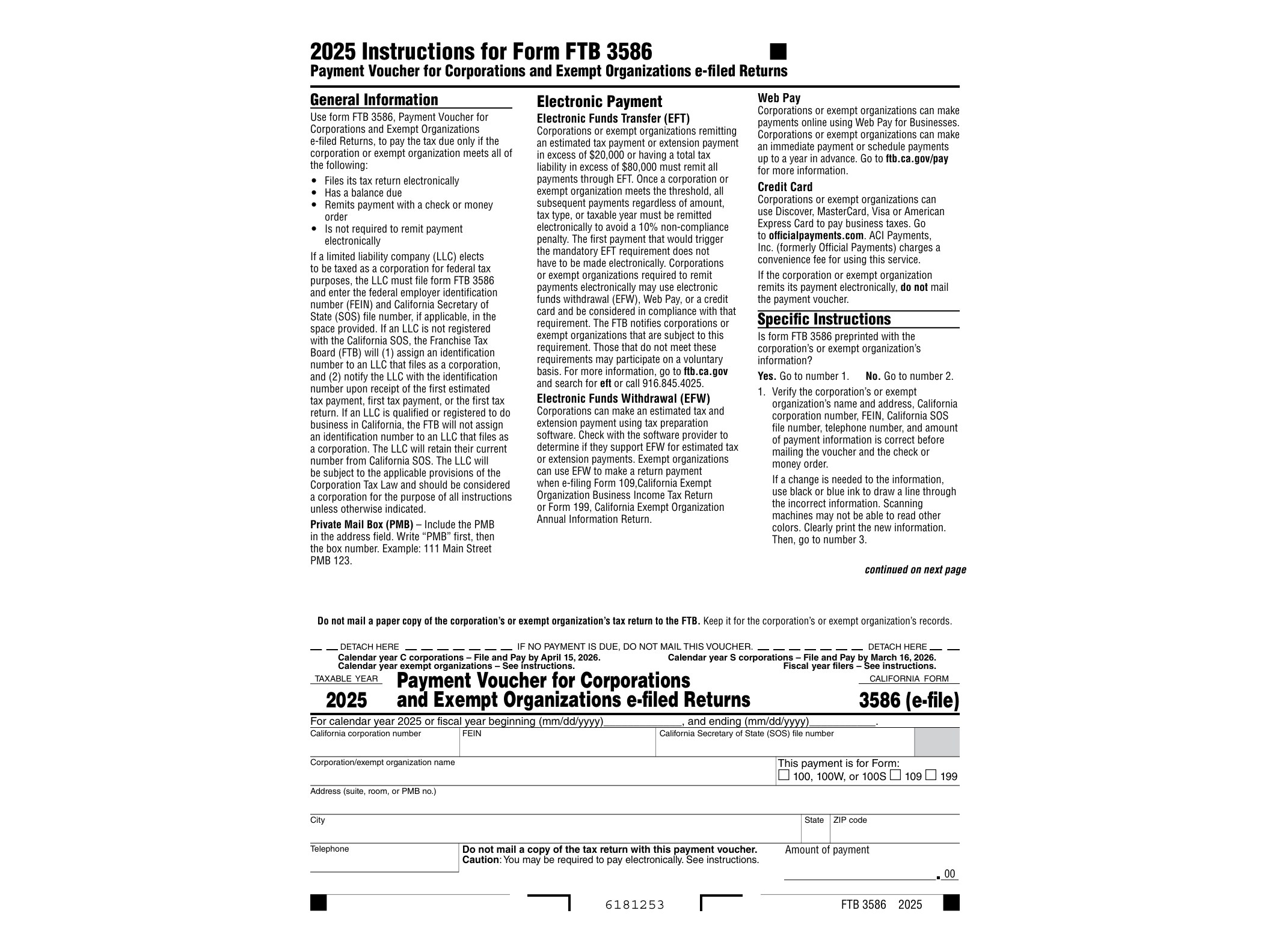
California Form 3586 is the payment voucher corporations and exempt organizations use when they e-file their state tax return but still need to pay by check or money order instead of through electronic funds withdrawal. The Franchise Tax Board requires this voucher so that any paper payment sent separately from an e-filed return gets matched to the correct account and tax year.
This isn’t a form you attach to your return. It’s a standalone voucher that travels with your payment, giving the FTB the entity’s name, California corporation number or FEIN, and the amount being paid. Without it, a mailed check risks being misapplied or delayed in processing, which can trigger unnecessary penalty or interest notices even when the payment was made on time.
Who Needs Form 3586
This voucher applies to corporations, S corporations, exempt organizations, and other entities that file their California return electronically but choose not to pay electronically. Some filers prefer this route because they don’t want to authorize a direct withdrawal from their bank account, or their software doesn’t support electronic payment for the balance due. Either way, if the return itself was e-filed, Form 3586 is the required companion for a paper payment.
It’s worth noting this form is specifically tied to e-filed returns. If a corporation is paper-filing its entire return, it would use a different payment voucher altogether, since Form 3586 exists solely to bridge the gap between an electronic filing and an offline payment.
When to Use It
Form 3586 comes into play in a few common situations:
- Paying the balance due shown on an e-filed original corporate or exempt organization return
- Submitting payment for an amended e-filed return that shows additional tax owed
- Making a final payment after e-filing when the entity opted out of electronic funds withdrawal
The voucher should be mailed along with a check or money order by the original due date of the return, even if the return was already transmitted electronically ahead of time. Filing electronically doesn’t extend the payment deadline, so timing still matters here just as much as with any other tax payment.
Entities that need more time to file, rather than more time to pay, should look instead at Form FTB 3539, which covers automatic extension payments for corporations and exempt organizations. Form 3586 and Form 3539 often get confused because they look similar and serve the same type of filer, but 3539 is for extension payments before the return is filed, while 3586 is for the actual balance due tied to an e-filed return.
How to Fill It Out
Form 3586 is a fillable PDF, so it can be completed on a computer before printing. The fields are straightforward: entity name, address, California corporation number or FEIN, tax year, and the payment amount. Double-check that the entity information matches exactly what was used on the e-filed return, since a mismatch in the corporation number is one of the most common reasons a payment gets delayed in processing.
Once completed, print the voucher and mail it with a check or money order made payable to the Franchise Tax Board. Write the corporation number and tax year on the check itself as an extra safeguard. Do not staple the payment to the voucher.
Corporations dealing with other FTB payment scenarios, such as a pending audit deposit, should check the instructions for Form FTB 3577, which covers a different type of deposit entirely. And for multi-state entities juggling similar extension paperwork elsewhere, the process outlined in New York’s Form IT-370-PF follows a comparable logic, even though the two states handle the details differently.
The current version of Form 3586 is available directly from the Franchise Tax Board’s website as a fillable PDF, ready to complete and print for mailing.
Download Official Form 3586 (PDF)
Opens the official government PDF in a new tab