
Download Official Form IT2104MS (PDF)
Opens the official government PDF in a new tab
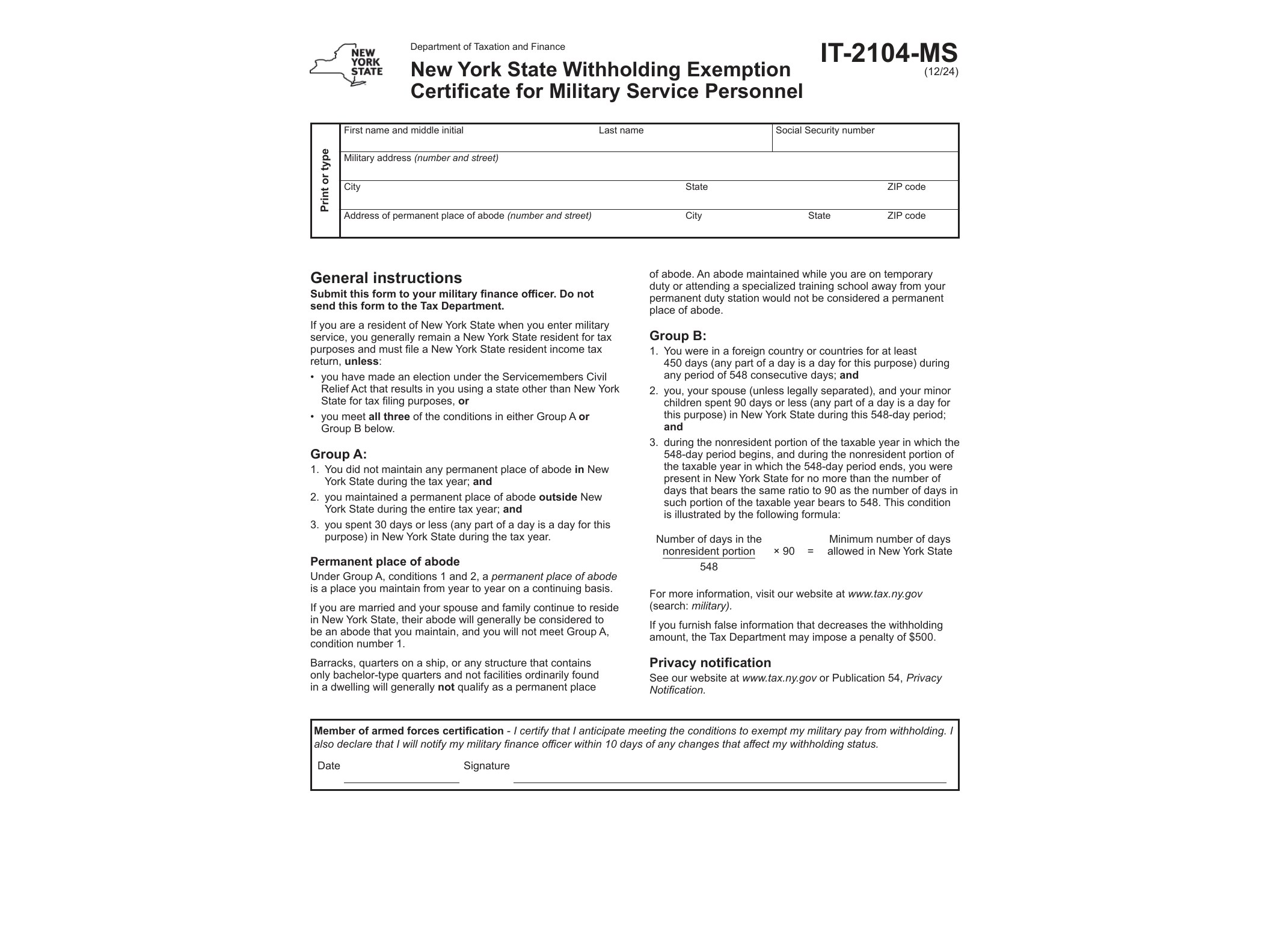
Form IT-2104-MS is the New York State withholding certificate designed specifically for military service personnel who are legal residents of another state but stationed in New York. If you’re on active duty and New York isn’t your state of legal residence, this form tells your employer to stop withholding New York State income tax from your wages.
The form was updated in December 2024 by the New York State Department of Taxation and Finance, and it reflects protections granted under federal law, particularly the Servicemembers Civil Relief Act (SCRA) and its later amendments through the Military Spouses Residency Relief Act (MSRRA). These laws prevent states from taxing income earned by service members (and, in many cases, their spouses) simply because military orders placed them in that state.
Who Needs to File This Form
Form IT-2104-MS applies to two main groups of people working in New York:
- Active-duty military members who are legal residents of a state other than New York, but who are stationed in New York due to military orders.
- Military spouses who qualify for the same tax treatment under MSRRA, meaning they share the service member’s state of legal residence and are in New York solely because of the military assignment.
If you fall into either category and your wages would otherwise be subject to New York withholding, this form is what stops that withholding at the source, rather than forcing you to wait for a refund when you file your return.
When to Use IT-2104-MS
You should submit this certificate to your employer as soon as you start a job in New York while maintaining legal residence elsewhere due to military service. It’s not something you file with the state directly — it goes to your employer’s payroll department, who then adjusts your withholding accordingly.
It’s worth renewing or reviewing this certificate whenever your military orders change, your marital status changes, or your legal state of residence changes. Employers may also request an updated form periodically to confirm your exemption status is still valid.
This form is different from the general Form IT-2104-E, New York’s standard certificate of exemption from withholding, which applies to civilian employees who meet certain income and tax liability thresholds. IT-2104-MS is narrower in scope and applies specifically to the military exemption under federal law, not the general exemption available to any qualifying employee.
How to Fill Out the Form
The form itself is short. You’ll need to provide:
- Your name, Social Security number, and New York address.
- Your state of legal residence (domicile), which must match your military orders or, for spouses, match the service member’s domicile under MSRRA.
- A signature certifying that the information provided is accurate and that you understand the exemption applies only while the underlying conditions are met.
Since the PDF has fillable AcroForm fields, you can complete it on a computer using Adobe Reader or a compatible PDF editor, then print it for your signature or use a digital signature if your employer accepts one. Once completed, hand it directly to your employer’s HR or payroll office — do not send it to the Department of Taxation and Finance.
If you’re unsure whether you qualify, it helps to compare your situation with withholding rules in other states as well. For instance, nonresidents working in California sometimes deal with a similar concept through California’s Form 589 nonresident reduced withholding request, which follows a different process but addresses a comparable goal: avoiding withholding on income that isn’t actually taxable in that state.
Keep a copy of the completed IT-2104-MS for your own records, along with a copy of your military orders. If the state ever questions your withholding status, or if you later need to resolve a filing compliance issue — similar to what’s addressed in requests for filing compliance agreements in other states — having documentation ready makes the process far smoother.
Errors on this form are usually simple: mismatched domicile information, missing signatures, or submitting it to the state instead of the employer. Double-check these details before turning it in, since an incorrect submission can result in New York withholding continuing unnecessarily until the issue is corrected.
Download Official Form IT2104MS (PDF)
Opens the official government PDF in a new tab