
Download Official Form IT250 (PDF)
Opens the official government PDF in a new tab
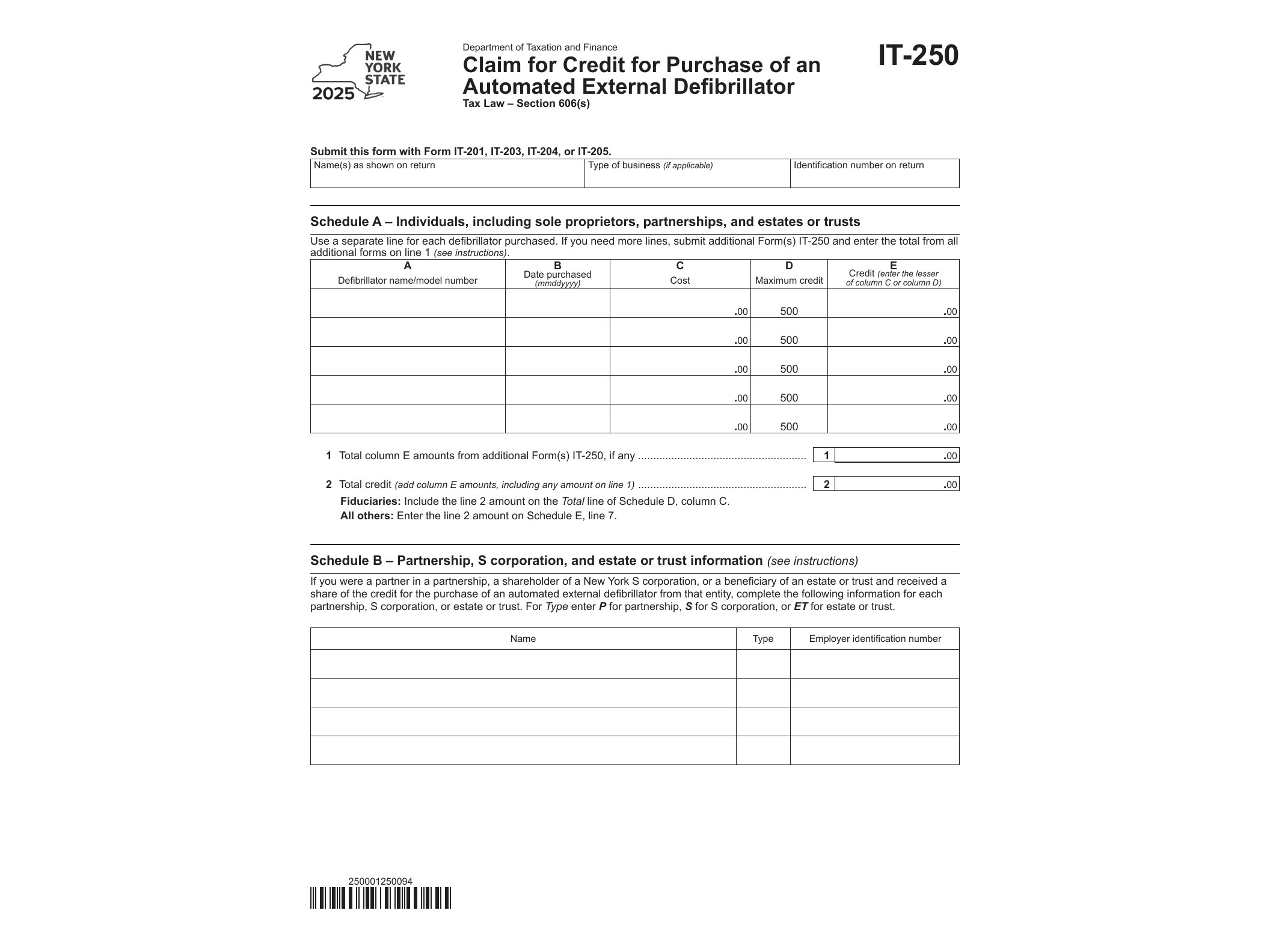
Form IT-250 is a New York State tax form used to claim a credit for the purchase of an automated external defibrillator (AED). The New York State Department of Taxation and Finance offers this credit as an incentive for individuals and businesses that buy this life-saving equipment and keep it available at a location in the state. If you bought an AED during the 2025 tax year, this form is how you turn that purchase into a reduction of your New York tax bill.
An automated external defibrillator is a portable device that can restore a normal heart rhythm during sudden cardiac arrest. New York has encouraged businesses, schools, gyms, and other organizations to keep these devices on hand, and the tax credit is one way the state supports that goal. The credit isn’t huge, but it directly offsets part of what you spent, and claiming it just requires filling out a short form and attaching it to your return.
Who Needs Form IT-250
You should file Form IT-250 if you’re a New York State taxpayer, whether an individual, a partnership, or a corporation, who purchased an AED and it’s ready for use within the state. The credit is generally available to businesses that maintain the device on their premises, but individuals who purchased one for a qualifying use may also be eligible. If you’re unsure whether your situation qualifies, the form instructions from the Department of Taxation and Finance spell out the exact requirements, including where the device must be located and what documentation to keep.
This credit is one of several niche New York credits designed to offset specific purchases or activities. If you’re comparing it to other targeted credits, it helps to see how the state structures similar benefits. For example, homeowners who installed solar equipment can look at Form IT-255 for the Solar Energy System Equipment Credit, while employers who hire people with disabilities have their own credit claimed through Form IT-251. Both follow the same basic pattern as IT-250: a specific purchase or action tied to a dollar-for-dollar credit against New York tax liability.
When You Use This Form
You’ll use Form IT-250 when preparing your New York State income tax return for the year in which you purchased the AED, in this case, tax year 2025. The form isn’t filed on its own; it’s submitted along with your regular New York personal or corporate income tax return. If you purchased the device in 2025 but forgot to claim the credit, you can generally amend a prior return within the statute of limitations rather than losing the benefit entirely, though it’s best to check current guidance on amended filings.
Keep in mind that the credit amount is capped and calculated based on the cost of the device, so review the instructions to determine exactly how much you’re entitled to claim. Larger purchases, or multiple devices bought in the same year, may require additional calculations on the form itself.
How to Get and Fill Out Form IT-250
Form IT-250 is a fillable PDF (AcroForm), meaning you can type your information directly into the fields on your computer before printing or attaching it to an e-filed return. This makes the process faster than filling it out by hand, and it reduces the chance of illegible entries that could delay processing.
The form itself asks for basic identifying information, details about the AED purchase including cost and date, and a calculation section to determine your allowable credit. Once completed, attach it to your New York State income tax return for the applicable year. If you’re filing electronically through approved tax software, the software should prompt you to enter the same information and generate the form automatically.
As with any state-specific credit, if you also have income tax obligations in other states, it’s worth remembering that credits like this one don’t transfer. New York’s forms are distinct from those in other states, similar to how California’s Form 541 for fiduciary income follows entirely separate rules. Always confirm you’re using the correct year’s version of IT-250, since the Department of Taxation and Finance updates forms periodically to reflect current credit limits and instructions.
Download Official Form IT250 (PDF)
Opens the official government PDF in a new tab