
Download Official Form IT257 (PDF)
Opens the official government PDF in a new tab
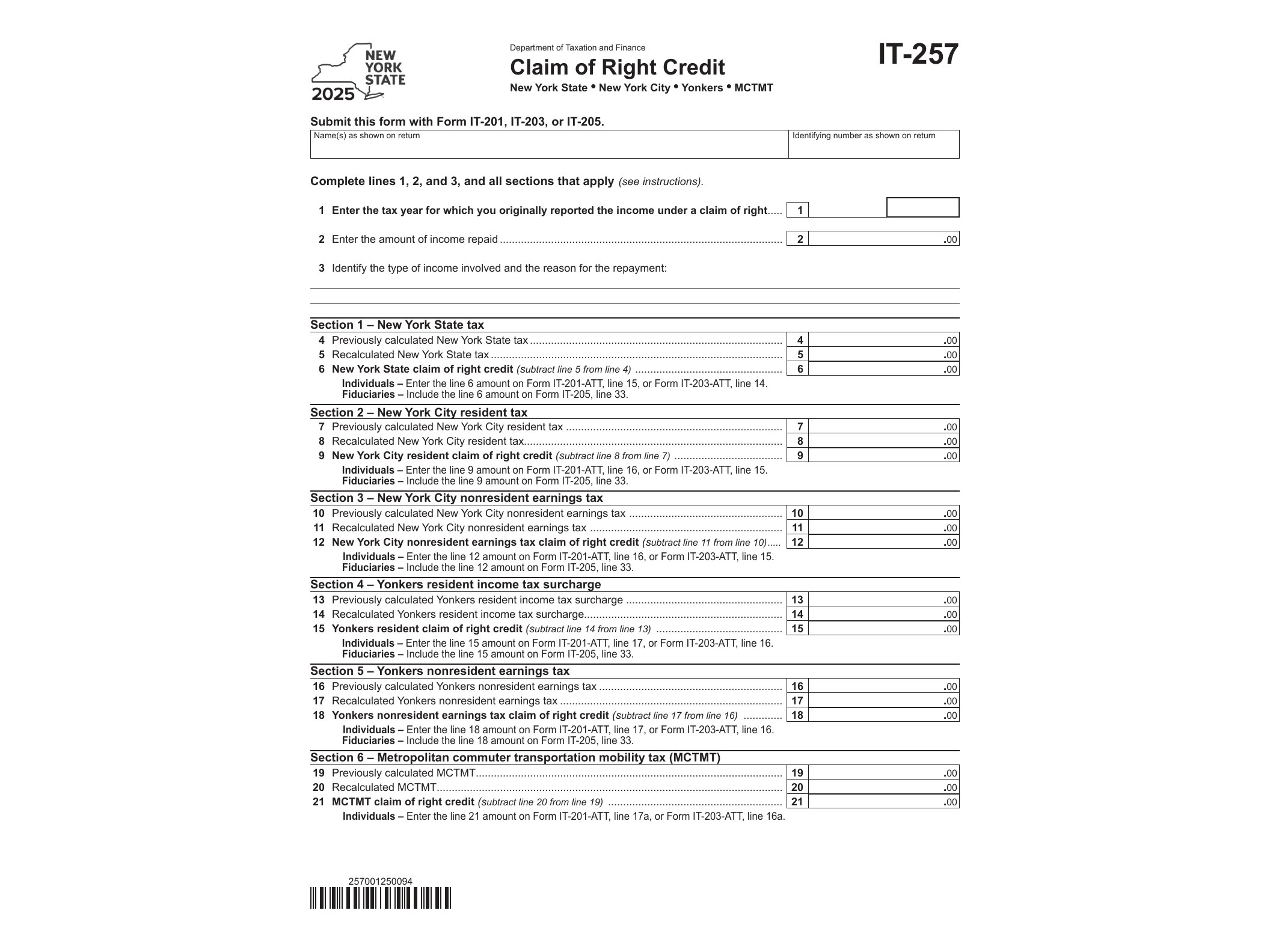
Form IT-257, issued by the New York State Department of Taxation and Finance, lets taxpayers claim a credit for income they had to repay in a later year after already paying state tax on it. This situation, known as a “claim of right,” happens more often than people expect — think of a bonus that turned out to be an overpayment, unemployment benefits later found to be ineligible, or wages repaid after an employer discovered an error. If you paid New York tax on money you later had to give back, IT-257 is how you recover that tax.
The credit exists because federal and state tax rules already recognize this exact problem. Under IRC Section 1341, taxpayers who repay income previously reported can claim a federal credit or deduction in the year of repayment. New York mirrors that relief at the state level through Form IT-257, so filers who already benefited from the federal claim of right adjustment can apply the equivalent treatment on their New York return.
Who Needs to File This Form
You need IT-257 if all of the following apply to your situation: you reported income in a prior tax year and paid New York tax on it, you repaid part or all of that income in the current tax year because you weren’t actually entitled to keep it, and the repayment amount exceeds $3,000, which is the threshold the IRS and New York use for this special treatment. Smaller repayments generally get handled as a regular itemized deduction instead, without needing this specific credit form.
Common examples include employees who repaid a signing bonus after leaving a job early, retirees who returned pension overpayments, or individuals who repaid disability or unemployment insurance benefits following a reassessment. Self-employed individuals and business owners who had to refund previously reported business income can also qualify, provided the repayment meets the same conditions.
When to Use Form IT-257
You file IT-257 with your New York State income tax return for the year in which you actually repaid the income — not the year you originally received it. If you took the federal claim of right credit or deduction on your federal return for that same repayment, New York generally expects consistency between the two filings, so it’s worth reviewing your federal treatment before completing the state form.
The form calculates the credit by comparing the tax you would have paid without the repaid income against the tax you actually paid in the original year, then applies the difference as a credit against your current-year New York tax liability. If the credit is more than your tax due, part of it may be refundable, depending on how the numbers work out on your return.
How to Fill It Out and Submit It
The New York Department of Taxation and Finance provides IT-257 as a fillable PDF with AcroForm fields, so you can type directly into the form using a PDF reader like Adobe Acrobat before printing or attaching it electronically. You’ll need to reference the original tax year in which the income was reported, show the repayment amount, and recalculate the tax for that earlier year without the repaid income included. Keep any supporting documentation — repayment notices from an employer, benefits agency correspondence, or court orders — in case the department requests verification.
Once completed, IT-257 attaches to your New York State personal income tax return (Form IT-201 or IT-203) for the year of repayment. It’s not filed on its own. If you’re also dealing with other state-specific credits in the same filing, it helps to check whether they interact with your claim of right calculation; for instance, taxpayers who moved into or out of New York residency mid-year should also review Form IT-260.1 on change of resident status, since repayment timing can intersect with residency accrual rules.
Taxpayers juggling multiple New York credits in the same return often benefit from reviewing related forms side by side. If you’re also eligible for a mortgage recording tax credit, Form IT-256 covers that separately, and homeowners paying nursing home assessments might need Form IT-258 as well. Each of these credits has its own eligibility rules, so it’s worth confirming which ones actually apply to your return before filing.
Download Official Form IT257 (PDF)
Opens the official government PDF in a new tab