
Download Official Form DTF624 (PDF)
Opens the official government PDF in a new tab
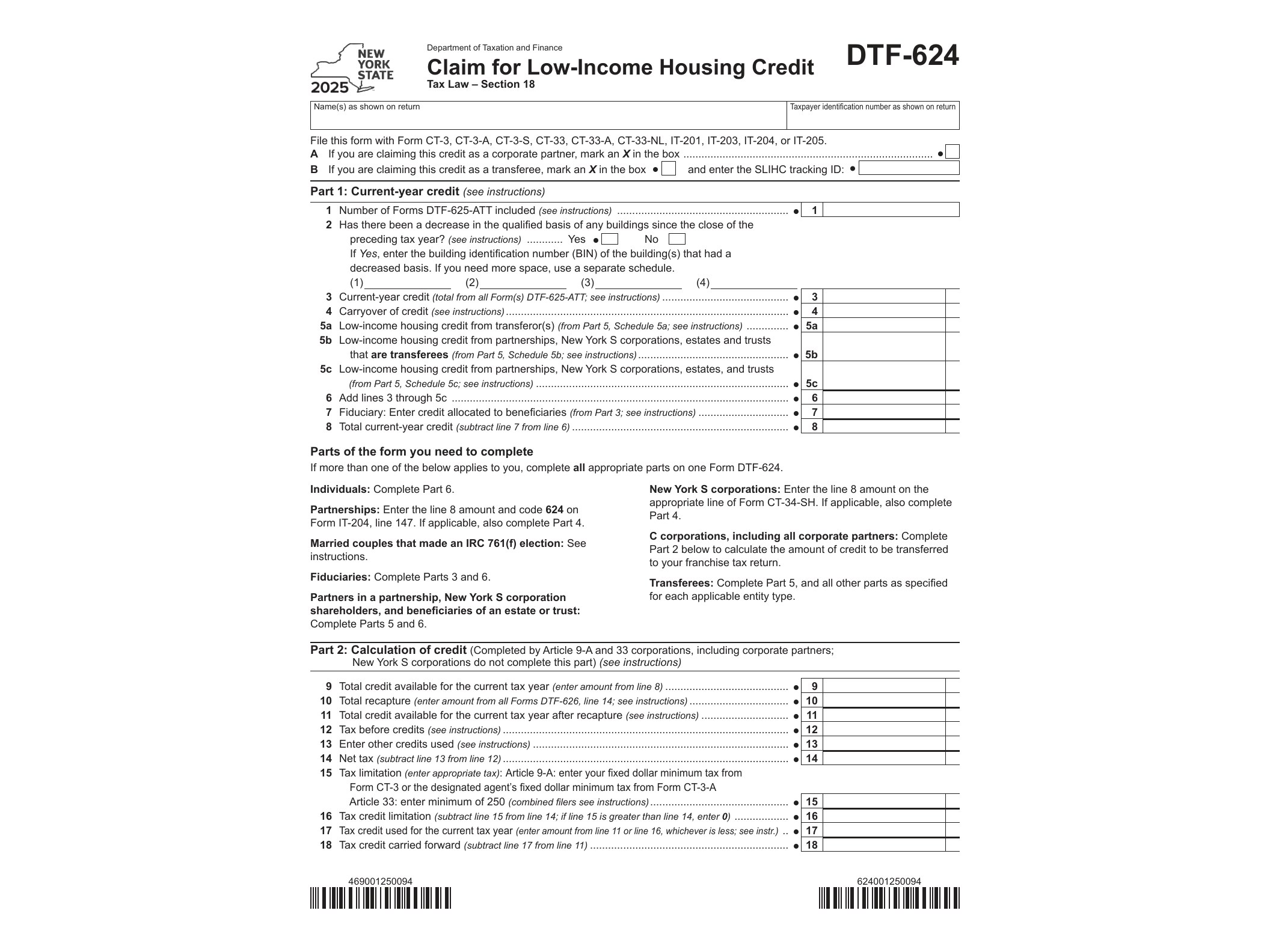
Form DTF-624, Claim for Low-Income Housing Credit, is the document New York State property owners and investors use to actually claim the state’s low-income housing credit against their tax liability. While other forms in this series establish eligibility and track annual compliance, DTF-624 is the one that translates that eligibility into a dollar-for-dollar reduction on a state tax return for tax year 2025.
The New York State Department of Taxation and Finance issues this form to taxpayers who own an interest in a qualified low-income building and have already been allocated credit through the state’s housing credit program. It applies to individuals, partnerships, S corporations, and C corporations that hold ownership positions in buildings participating in the Low-Income Housing Credit program, whether directly or through a pass-through entity.
Who Needs to File Form DTF-624
You need this form if you’re claiming a share of the low-income housing credit for a qualified building located in New York State. This typically includes building owners, general and limited partners in partnerships that own qualified buildings, and shareholders in S corporations with an ownership interest in such properties. If your credit is passed through from a partnership or S corporation, you’ll still need to file DTF-624 to claim your portion on your own return.
Before you can complete this form, the building itself must have gone through the allocation and certification process. That’s handled through Form DTF-625, which establishes the initial credit allocation for a project. Without that certification in place, there’s no credit to claim on DTF-624.
When to Use This Form
Form DTF-624 is filed with your New York State income tax return for the tax year in which you’re claiming the credit. The low-income housing credit is generally claimed over a ten-year credit period, so if your building qualified in a prior year, you may need to file this form annually for each year the credit applies, as long as the property continues to meet compliance requirements.
Ongoing compliance matters here. Each year, building owners must document that units remain occupied by qualifying low-income tenants and that rent restrictions are being met. That annual documentation is typically reported using Form DTF-625-ATT, the annual statement that supports continued eligibility. If compliance lapses at any point during the credit period, the credit previously claimed could be subject to recapture, which is reported separately on Form DTF-626.
What Information You’ll Need
To complete DTF-624 accurately, gather the building identification number assigned during the allocation process, the amount of credit allocated to the building, your ownership percentage if the credit passes through an entity, and details from any prior-year filings if you’re in the middle of the ten-year credit period. Partnerships and S corporations will also need to calculate and report each partner’s or shareholder’s allocable share before individual owners can complete their own DTF-624.
How to Get and Complete the Form
The form is available as a fillable PDF directly from the New York State Department of Taxation and Finance website. Because it’s an AcroForm, you can type your entries directly into the PDF fields on a computer rather than filling it out by hand, which reduces errors and keeps the entries legible. Once completed, review the figures against your allocation documents and any annual compliance statements before attaching it to your New York State tax return.
Given how closely this form interacts with the allocation, annual reporting, and recapture forms in the same series, it’s worth keeping copies of all related filings together each year. Cross-referencing building identification numbers and credit amounts across these forms helps avoid mismatches that could delay processing or trigger follow-up questions from the department.
Download Official Form DTF624 (PDF)
Opens the official government PDF in a new tab