
Download Official Form ST124 (PDF)
Opens the official government PDF in a new tab
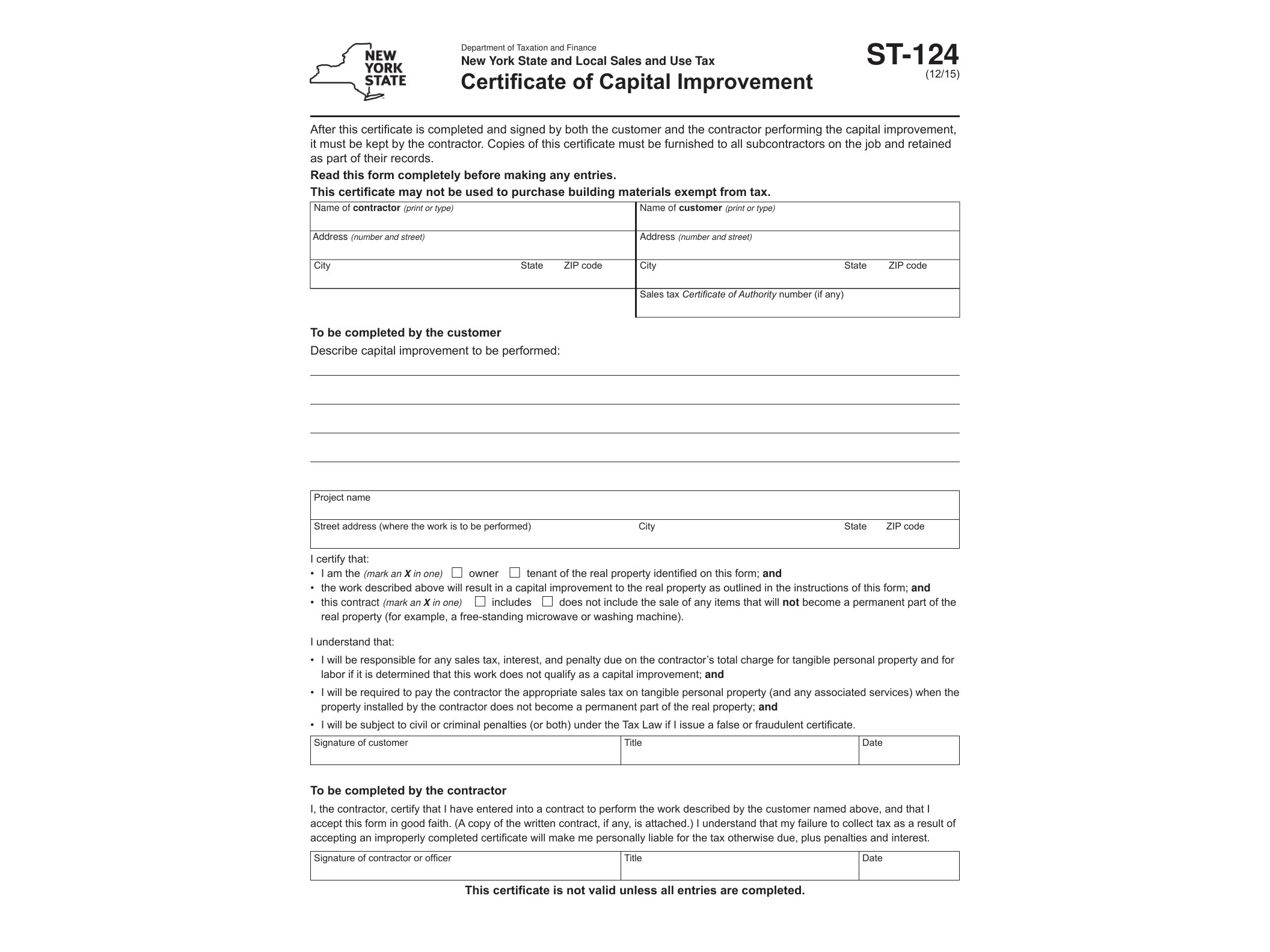
Form ST-124, Certificate of Capital Improvement, is a New York State sales tax document that lets property owners tell a contractor that a specific job qualifies as a capital improvement rather than a taxable repair or maintenance service. When properly completed, it allows the contractor to skip charging sales tax on the labor portion of the job, since capital improvements to real property are exempt from New York sales tax while routine repairs and maintenance are not.
The New York State Department of Taxation and Finance issues this form, and it’s used constantly in construction and home improvement work across the state. Think additions, new roofs, permanent fencing, in-ground pools, kitchen remodels that involve structural changes, or paved driveways. These jobs increase the value of the property, are intended to become a permanent part of it, and aren’t just repairs to keep something working. That distinction matters a lot for tax purposes, and ST-124 is the paperwork that documents it.
Who Needs to Fill Out ST-124
The property owner (or lessee, in some cases) is the one who completes and signs Form ST-124, not the contractor. The owner is certifying, under penalty of perjury, that the work being done meets the legal definition of a capital improvement. The contractor then keeps this certificate on file as proof that they were justified in not collecting sales tax on their labor charges for that job.
Contractors should always request this form before starting work that they believe qualifies as a capital improvement. Without it, the New York State Tax Department can hold the contractor liable for uncollected sales tax if the job is later reclassified as a taxable repair during an audit. So while the owner fills it out, it’s really the contractor’s protection.
When ST-124 Is Used
This certificate applies specifically to jobs that result in a permanent improvement or betterment to real property. It does not apply to repair, maintenance, or installation services that just restore something to working condition or that a homeowner could remove without significant damage to the structure. For example, replacing a broken window pane is a repair; adding a new room with permanent windows is a capital improvement. Painting a room is maintenance; building a permanent deck is an improvement.
Materials purchased for the job are still generally subject to sales tax, whether the work qualifies as a capital improvement or not. ST-124 only affects how labor is taxed, so contractors need to keep that distinction clear when billing clients.
How to Get and Complete the Form
Form ST-124 is a fillable PDF (AcroForm), meaning you can type your entries directly into the document on a computer before printing it for signature, rather than filling it out by hand. It’s available directly from the New York State Department of Taxation and Finance website as a free download.
To complete it, the property owner needs to provide their name and address, a description of the property where work is being performed, a description of the capital improvement itself, and the contractor’s information. The owner then signs and dates the certificate, and it should be handed over to the contractor before or at the time payment is finalized. Contractors don’t file this form with the state — they simply retain it in their records in case of an audit.
If you work in construction, property management, or contracting in New York, it’s worth keeping a stack of these on hand, since they come up on nearly every larger renovation project. And if you handle other New York sales tax exemption paperwork, you may also want to check out our guide on Form ST-129 for government employee lodging exemptions, or our breakdown of Form ST-340 for IDA-related exemption reporting, since both deal with related sales tax exemption processes in New York State.
Download Official Form ST124 (PDF)
Opens the official government PDF in a new tab