
Download Official Form 8454 (PDF)
Opens the official government PDF in a new tab
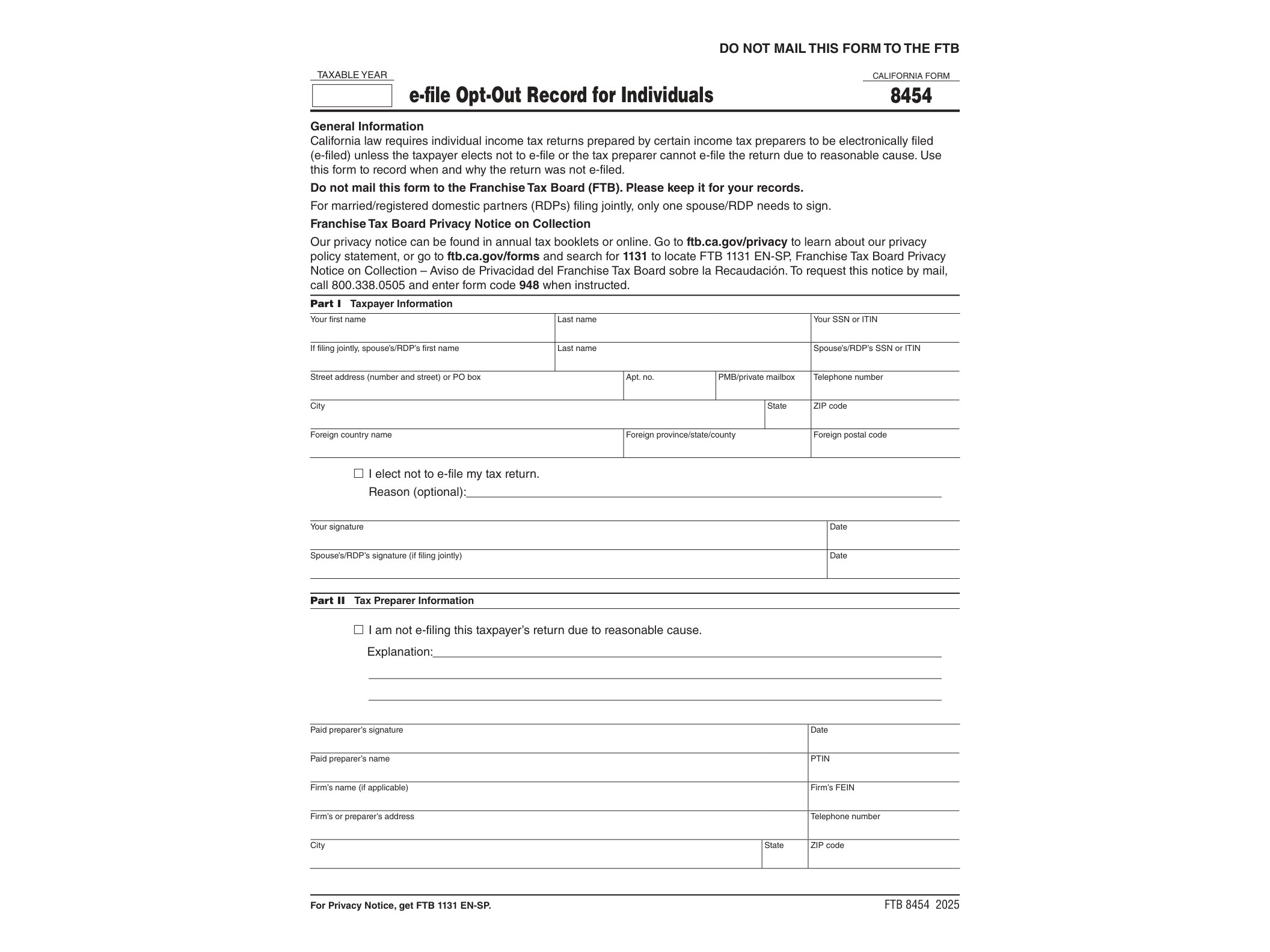
Form 8454, officially titled the e-file Opt-Out Record for Individuals, is a document issued by the California Franchise Tax Board (FTB) for taxpayers who choose not to electronically file their state income tax return even though their tax preparer is required to do so. California mandates that most paid tax preparers submit returns electronically, but individual taxpayers still have the right to opt out of e-filing. Form 8454 is how that choice gets documented.
This form doesn’t get sent to the FTB. Instead, it’s kept by the tax preparer as proof that the client requested a paper filing instead of an electronic one. If the FTB ever audits the preparer’s e-file compliance, this record shows that the decision to paper-file came from the taxpayer, not from the preparer skipping a mandatory requirement.
Who Needs Form 8454
You’ll come across this form if you work with a paid tax preparer in California and specifically ask them to file your state return on paper rather than electronically. It’s not something individuals file on their own with the state — it exists purely as a record between you and your preparer. Preparers who are subject to California’s e-file mandate (generally those who filed more than a certain number of returns in the prior year) must keep this form on file for every client who opts out.
If you file your own return without a paid preparer, Form 8454 doesn’t apply to you at all. It’s strictly tied to the professional preparer relationship and the state’s electronic filing requirements for that group.
When This Form Is Used
The form is typically completed at the same time your preparer finalizes your return, before it gets submitted on paper. Since it covers the 2024 tax year, it applies to returns being prepared and filed during the 2025 filing season. Your preparer will ask you to sign it if you’ve indicated you don’t want your return transmitted electronically to the FTB.
There’s no specific deadline tied to Form 8454 beyond the general filing deadline for your state return. The key point is that it needs to be signed and dated before or at the time the paper return is filed, not afterward.
How to Get and Complete It
Form 8454 is a fillable PDF (AcroForm), meaning you can type your information directly into the file using Adobe Acrobat or most modern PDF readers before printing and signing. The official version for the 2024 tax year is available directly from the FTB’s website.
Filling it out is straightforward. You’ll need to provide:
- The taxpayer’s name and Social Security number (or ITIN)
- The tax year the opt-out applies to
- A signature and date confirming the taxpayer’s choice to opt out of e-filing
Your tax preparer usually generates this form as part of their software workflow and hands it to you for signature. You don’t need to mail it to the FTB — your preparer retains it in their records, generally for at least four years, in case of a compliance review.
If you’re navigating other state-specific tax credit forms alongside your regular filing, it’s worth checking resources like the Form IT-605 guide or the Form IT-603 overview for comparison on how other states handle specialized filing requirements. While those forms deal with New York tax credits rather than California e-filing rules, they illustrate how state tax agencies often require separate paperwork for elections or exceptions outside the standard return.
Bottom line: Form 8454 isn’t something most taxpayers need to think about unless they specifically want a paper return despite using a preparer bound by e-file rules. If that’s your situation, your preparer will walk you through it — your job is just to sign, date, and keep a copy for your own records if you’d like one.
Download Official Form 8454 (PDF)
Opens the official government PDF in a new tab