
Download Official Form IT663 (PDF)
Opens the official government PDF in a new tab
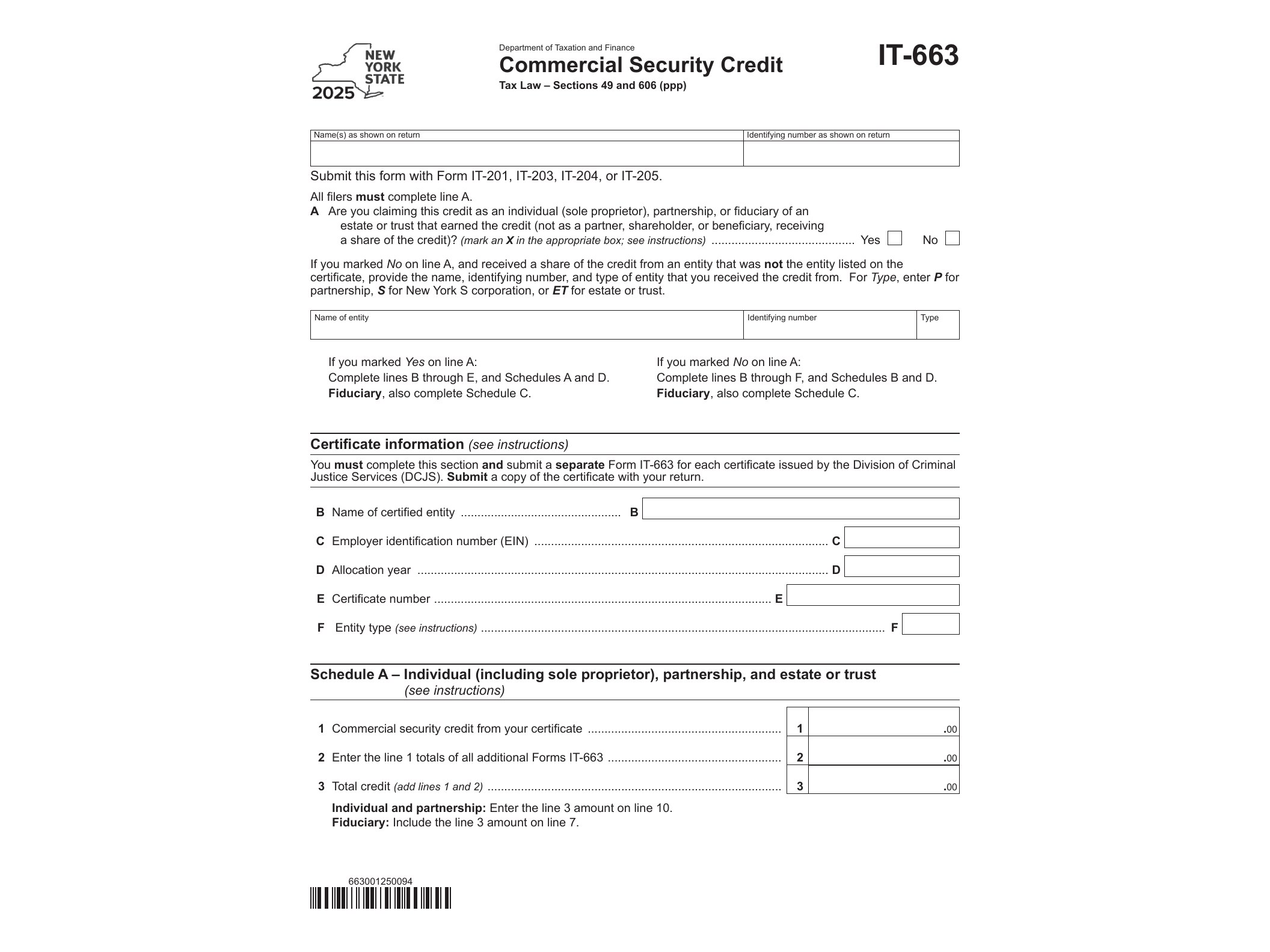
Form IT-663, officially titled the Commercial Security Credit, is issued by the New York State Department of Taxation and Finance for tax year 2025. It allows eligible business owners to claim a credit against their New York State tax liability for money spent on qualified security measures at a commercial location. If you run a retail store, restaurant, or other small business in New York and invested in security upgrades this year, this form is likely the one you need when you file your return.
The credit was created to help offset the cost of protecting commercial property against theft, vandalism, and other security risks. Eligible expenses generally include items like surveillance cameras, alarm systems, security lighting, reinforced entry points, and monitoring services installed or upgraded at a qualifying business location in New York State. The state caps the credit at a set percentage of qualified expenses, and there’s typically a maximum dollar amount that can be claimed per business or per location, so it’s worth checking the current instructions before assuming your full expense will be covered.
Not every business is automatically eligible. The credit is generally aimed at small and mid-sized commercial operations rather than large corporations, and the security equipment or services need to meet specific criteria laid out by the Tax Department. Expenses that were reimbursed by insurance or covered by another credit or grant usually can’t be double-counted here. If your business also invested in other targeted improvements this year, it’s a good idea to check whether you qualify for related credits too — for example, businesses in agriculture might look at the Farm Employer Overtime Credit, while media-related businesses have their own targeted incentives.
You’ll use Form IT-663 when you file your New York State personal income tax or corporation tax return for 2025, attaching it to claim the credit amount on your main return. The form asks you to detail the security expenditures made during the tax year, including dates, vendor information, and a breakdown of costs by category. You’ll need to keep receipts, invoices, and any installation documentation on hand, since the Department can request proof of the expenses if your return is reviewed. If the credit exceeds your tax liability for the year, check the instructions to see whether any unused portion can be carried forward — this varies depending on the specific credit rules for the tax year.
Getting the form itself is straightforward. It’s a fillable PDF (AcroForm), meaning you can type your information directly into the document on your computer before printing or submitting it electronically alongside your return, rather than having to fill it out by hand. Before you start, gather your business’s security-related invoices and any correspondence with vendors so you can accurately report amounts and dates. Double-check your business’s total qualified expenses against the current-year cap listed in the instructions, since claiming more than the allowed limit can delay processing or trigger a review.
If your business has multiple locations, you may need to file a separate calculation for each qualifying site, depending on how the credit is structured for 2025. It’s also worth reviewing whether your business type or industry has additional eligibility requirements, since the Tax Department periodically updates guidance on qualifying expenses. Businesses that also invest in workforce or industry-specific improvements sometimes qualify for more than one credit in the same year — for instance, employers in digital media production might also want to look at the Empire State Digital Gaming Media Production Credit, and those in publishing or broadcasting could check the Newspaper and Broadcast Media Jobs Credit to see if either applies alongside the security credit.
Since tax credit rules can shift from year to year, it’s worth reviewing the most recent instructions published with Form IT-663 before filing, particularly around eligible expense categories and any caps that apply to your business size or location count. Filing accurately the first time helps avoid processing delays and keeps your return moving smoothly through the Department’s review.
Download Official Form IT663 (PDF)
Opens the official government PDF in a new tab