
Download Official Form RP5100 (PDF)
Opens the official government PDF in a new tab
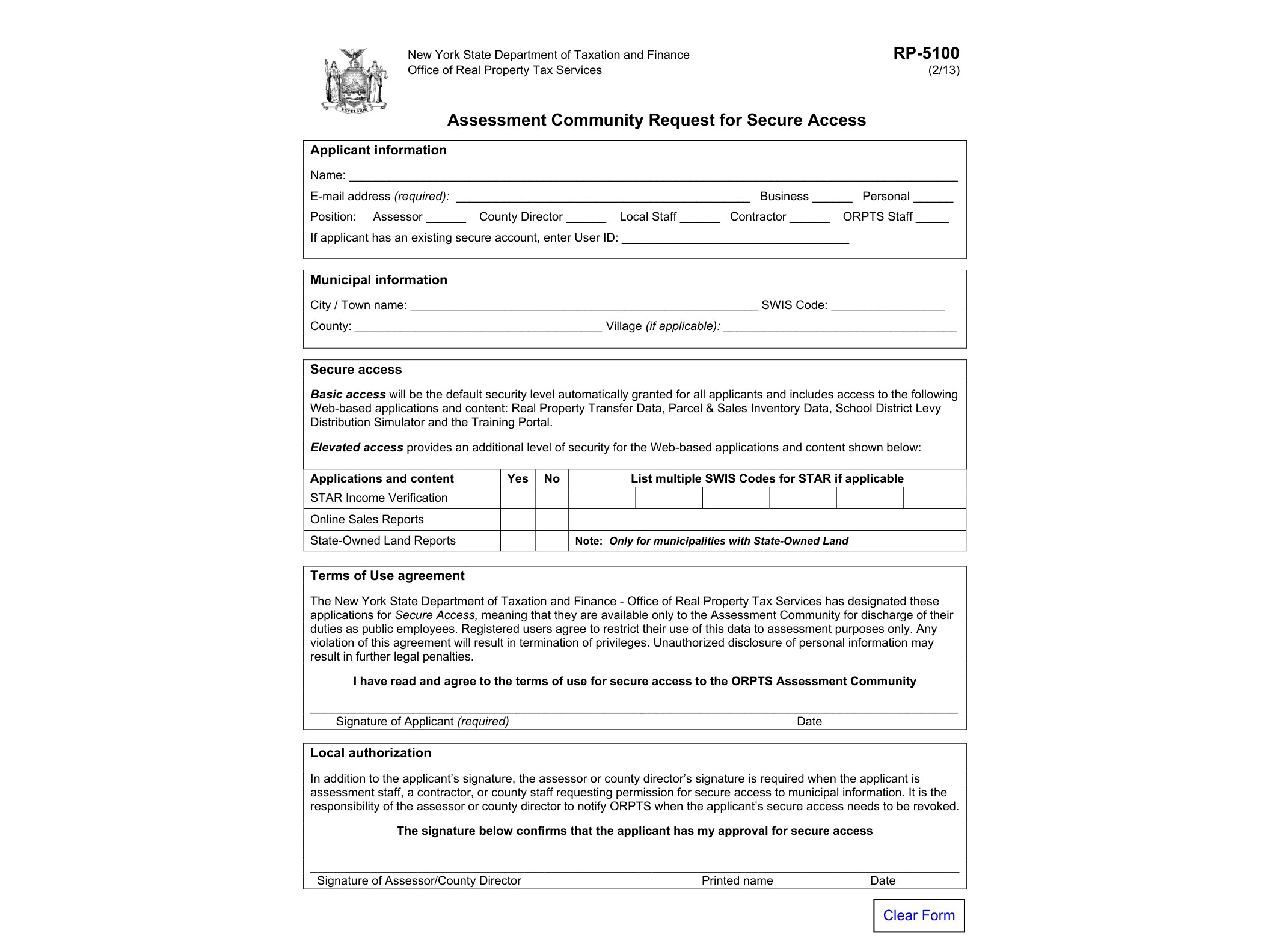
Form RP-5100, officially titled “Assessment Community Request for Secure Access,” is issued by the New York State Department of Taxation and Finance through its Office of Real Property Tax Services (ORPTS). It’s not a tax filing or an exemption application — it’s an administrative form that local assessment officials use to get authorized login access to the state’s secure online systems that hold property assessment data, sales data, and other real property tax records.
If you work in a New York assessor’s office, a county real property tax services office, or a related assessment role, you’ve probably run into situations where you need to pull data from state-maintained systems, submit reports electronically, or review information that isn’t open to the general public. Form RP-5100 is the gatekeeper for that kind of access. Without it, an individual can’t be added, verified, or updated in the secure system that ORPTS uses to manage who can log in and what they’re allowed to see or edit.
Who Needs This Form
This form is meant for members of the assessment community, which in practice includes:
- Town and city assessors
- County directors of real property tax services and their staff
- Assessment support staff who handle data entry or reporting
- Other local officials designated to interact with state assessment systems on behalf of a municipality
It’s generally not something an individual property owner would ever need to submit. Homeowners dealing with assessment issues are more likely to encounter other RP-series forms, such as those covering exemptions, corrections, or notices to taxing bodies. If your work touches sales data corrections, for example, you may already be familiar with Form RP-5217ACR, which city and town assessors use to correct sale reporting errors. RP-5100 works in a different lane — it’s about getting the credentials to access the systems in the first place, not about the substance of the data itself.
When Is It Used
Form RP-5100 typically comes into play in a few common scenarios:
- A new employee joins an assessor’s office and needs secure access to state systems for the first time.
- An existing user’s role or access level changes and needs to be updated.
- Someone leaves a position and access needs to be revoked or transferred.
- A municipality is setting up access for a new designated contact who will be responsible for submitting or reviewing assessment data electronically.
Because assessment offices regularly interact with ORPTS on matters like tax maps, exemption reporting, and property transfers, having the right people with the right access matters for keeping day-to-day operations running smoothly. This is the same broader administrative environment where forms like Form RP-503 for tax map maintenance certification, or Form RP-520/551 for notifying taxing bodies of property transfers, get submitted and processed. Access granted through RP-5100 is often what allows staff to handle these related filings electronically.
How to Complete and Submit It
Form RP-5100 is available as a fillable PDF (AcroForm), meaning you can type your information directly into the form fields on a computer before printing or submitting it, rather than filling it out by hand. The form generally asks for identifying details about the requester, their municipality or county office, their role, and the specific type of access being requested or modified.
Because this form deals with system security and user credentials, it usually requires a signature from an authorized supervisor or office head confirming that the request is legitimate and that the person named should be granted access. Once completed, the form is routed to ORPTS according to the instructions printed on the form itself — this may involve mailing it, faxing it, or submitting it through a designated contact at the Department of Taxation and Finance.
If you’re unsure whether you need to submit a new RP-5100 or simply update an existing access request, it’s worth checking with your county’s real property tax services office first, since they often coordinate directly with ORPTS on behalf of local assessors and can confirm the current submission process before you send anything in.
Download Official Form RP5100 (PDF)
Opens the official government PDF in a new tab