
Download Official Form 3535 (PDF)
Opens the official government PDF in a new tab
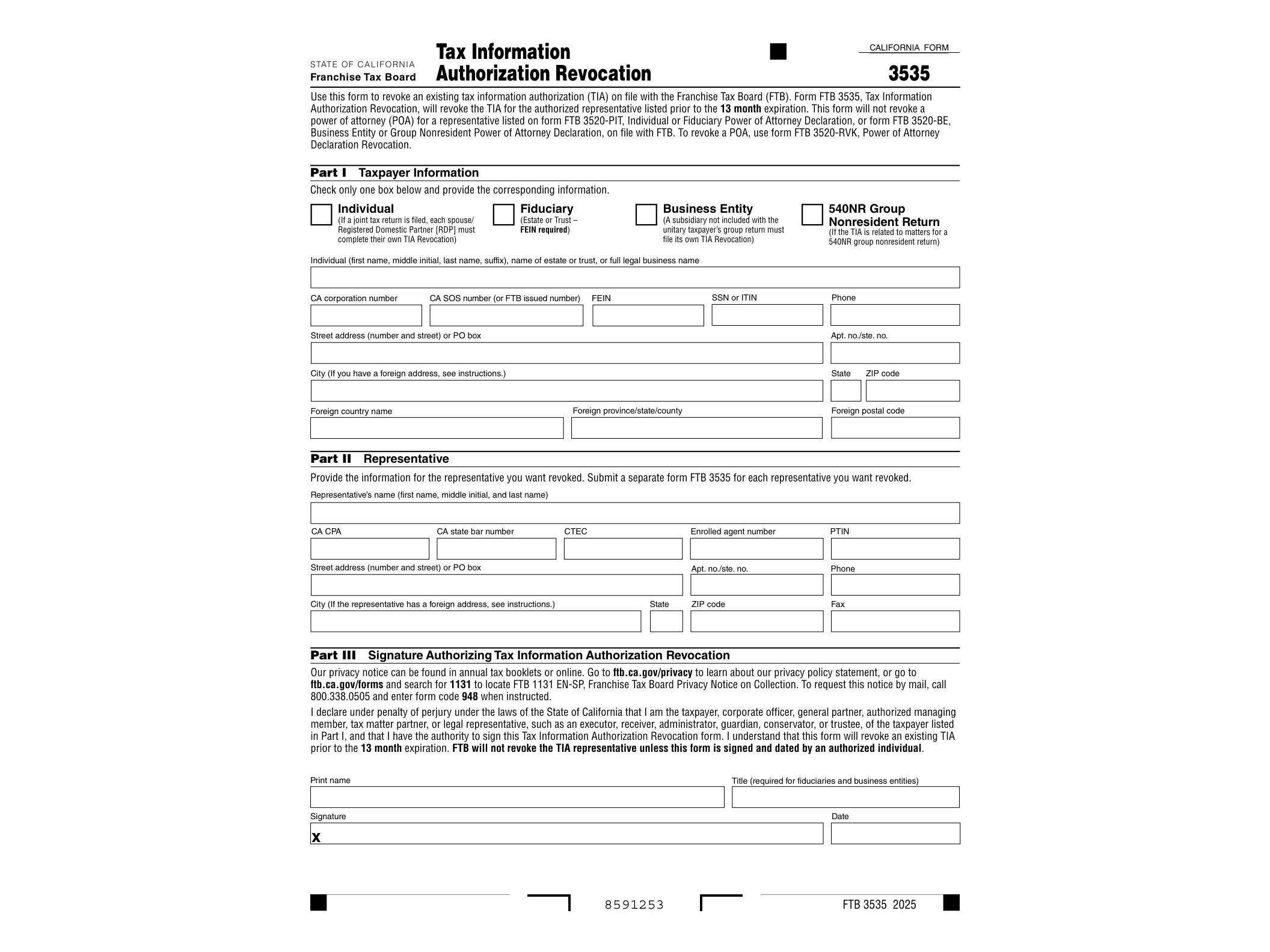
FTB Form 3535, officially titled Tax Information Authorization Revocation, is a short form issued by the California Franchise Tax Board that lets a taxpayer cancel a previously granted Tax Information Authorization (TIA). If you gave someone permission to look at your California tax records and you no longer want that arrangement in place, this is the document that ends it.
A Tax Information Authorization is different from a power of attorney. It doesn’t let the designated person act on your behalf, sign documents, or negotiate with the FTB. It only allows them to receive and review your confidential tax information, such as balances due, notices, or filing history. Many people set up a TIA for a tax preparer, a family member helping with an aging parent’s finances, or a business partner who needs visibility into a shared account. Once that need ends, the authorization doesn’t automatically disappear on its own unless it was set with an expiration date, so Form 3535 becomes the tool to formally shut it down.
Who Needs to File Form 3535
This form is for any individual or business entity that previously submitted a TIA to the FTB, whether through the Form 3520-RVK, an online MyFTB authorization, or another method, and now wants to revoke that access. Common situations include:
- A taxpayer switching accountants and wanting the old preparer removed from access to their FTB records.
- A business that dissolved a partnership or ended a relationship with a third-party bookkeeper.
- Someone who granted access temporarily for a specific tax issue that has since been resolved.
- A person managing a relative’s tax matters who no longer needs or wants that role.
If you never authorized anyone to view your FTB account, you don’t need this form at all. It’s strictly a cancellation tool, not a request for new access.
When to Use This Form
You should file Form 3535 as soon as you decide the authorization is no longer needed. There’s no requirement to wait for a renewal period or tax season. Because a TIA can remain active indefinitely if no end date was specified, revoking it promptly is the only way to make sure a former preparer, ex-business partner, or anyone else loses visibility into your tax account information going forward.
It’s also worth checking whether the authorization was tied to a specific tax year or matter. Some TIAs are limited in scope and expire automatically once that issue is closed. If you’re unsure whether an authorization is still active, you can check your MyFTB account online before submitting the revocation, since the FTB portal usually lists current authorizations under your profile.
How to Complete and Submit Form 3535
The form itself is straightforward and available as a fillable PDF directly from the FTB website. You’ll need to provide your name, taxpayer identification number (Social Security Number or business entity ID), and the name and identifying information of the person or firm whose access you’re revoking. If you know the specific TIA confirmation number or the date the original authorization was granted, including it speeds up processing, though it’s not always required.
Once completed, the form can be mailed or faxed to the FTB using the contact information printed on the document. There’s no filing fee involved. Processing times vary, but it’s a good idea to follow up through your MyFTB account after a few weeks to confirm the revocation went through and the designated person no longer has access.
If you’re dealing with related authorization matters, it helps to understand how other one-time or limited disclosure forms work. For example, the FTB Form 3518 covers a single, one-time release of confidential information rather than an ongoing authorization, which is useful context if you’re trying to figure out which form fits your situation. And if your tax situation involves multi-state filings or nonresident status, forms like the IT-203-C nonresident spouse certification or the IT-203-S-ATT attachment for group nonresident returns show how different states structure similar authorization and disclosure paperwork.
Keeping track of who has access to your tax records matters just as much as filing your return correctly. Form 3535 gives California taxpayers a clean, direct way to close that door once an authorization has served its purpose.
Download Official Form 3535 (PDF)
Opens the official government PDF in a new tab