
Download Official Form IT112R (PDF)
Opens the official government PDF in a new tab
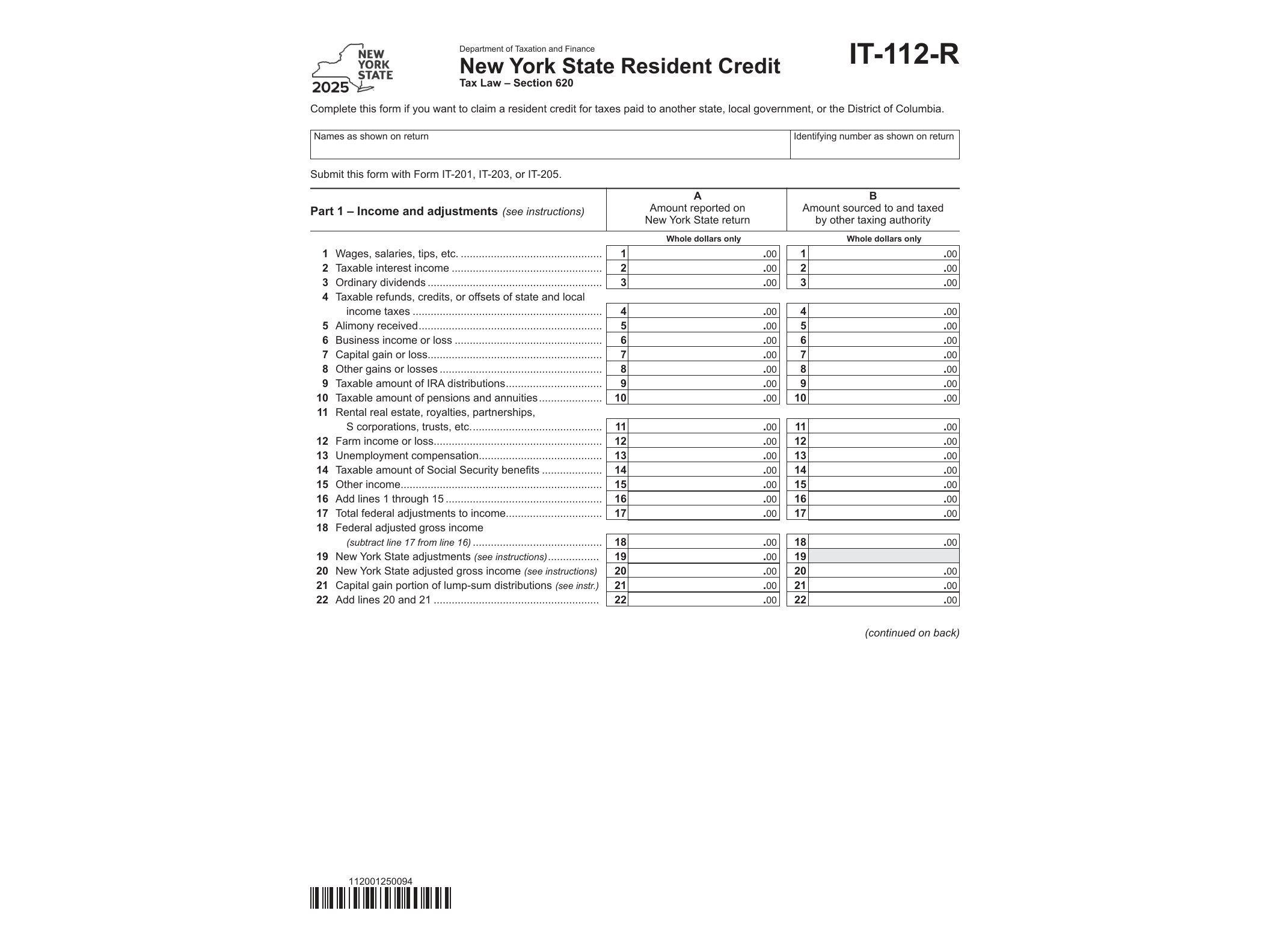
Form IT-112-R, officially titled “New York State Resident Credit,” is issued by the New York State Department of Taxation and Finance to help full-year and part-year residents avoid being taxed twice on the same income. If you earned money outside New York but still had to pay New York State income tax on it because you’re a resident, this form lets you claim a credit for the taxes you already paid to another state, a local government within that state, or a Canadian province.
The core problem this form solves is simple: New York taxes its residents on all income, no matter where it was earned. But if you also owed tax on that same income to, say, New Jersey or Connecticut because you worked there, you’d technically be paying tax twice on the same dollars. Form IT-112-R corrects that by giving you a dollar-for-dollar credit (up to certain limits) against your New York tax liability for what you paid elsewhere.
Who Needs to File This Form
You’ll need IT-112-R if you meet all of the following conditions during the 2025 tax year:
- You were a New York State resident (full-year or part-year) for tax purposes.
- You earned income that was also taxed by another state, a political subdivision of that state (like a city), or a Canadian province.
- You filed a return with that other jurisdiction and actually paid tax on the income in question.
This situation is common for people who live in New York but commute to work in a neighboring state, remote workers whose employer withholds tax in another jurisdiction, and taxpayers with rental property, partnership income, or business income sourced outside New York. It’s also relevant for people who moved during the year and had tax obligations split between states.
It’s worth noting that IT-112-R is different from Form IT-112.1, which applies specifically to the resident credit against the separate tax on lump-sum distributions. If your only income taxed elsewhere came from a retirement lump-sum payout, you’d use that form instead. Most taxpayers dealing with regular wages, self-employment income, or investment income taxed by another state will use IT-112-R.
When You’d Use It
You file IT-112-R alongside your New York State personal income tax return (Form IT-201 for full-year residents or IT-203 for part-year residents) for the same tax year. You cannot claim this credit on its own; it’s a supporting schedule that reduces the tax calculated on your main return. If you paid tax to more than one other jurisdiction, you generally need to complete a separate IT-112-R for each one.
Timing matters too. You should have your out-of-state or out-of-province tax return finalized (or at least know the tax liability) before filling out this form, since you’ll need to report the actual tax paid, the income taxed, and how that income relates to your New York-reported income.
How to Get and Complete the Form
Form IT-112-R is available directly from the New York State Department of Taxation and Finance as a fillable PDF, meaning you can type your information directly into the form fields on your computer before printing or attaching it to an e-filed return. The form asks for identifying information, the name of the other taxing jurisdiction, the amount of income taxed by both New York and that jurisdiction, and the tax actually paid there.
Because the credit calculation involves comparing income taxed in both places and applying a proration formula, it’s easy to make errors if you rush through it. Double-check that the income figures match what’s reported on your out-of-state return and that you’re not clailocing to your New York-source income (which isn’t eligible for this credit). Keeping copies of both your New York return and the other jurisdiction’s return on hand while completing IT-112-R will make the cross-referencing much smoother, and it gives you a paper trail if the Department of Taxation and Finance ever asks for verification.
Download Official Form IT112R (PDF)
Opens the official government PDF in a new tab