
Download Official Form IT267 (PDF)
Opens the official government PDF in a new tab
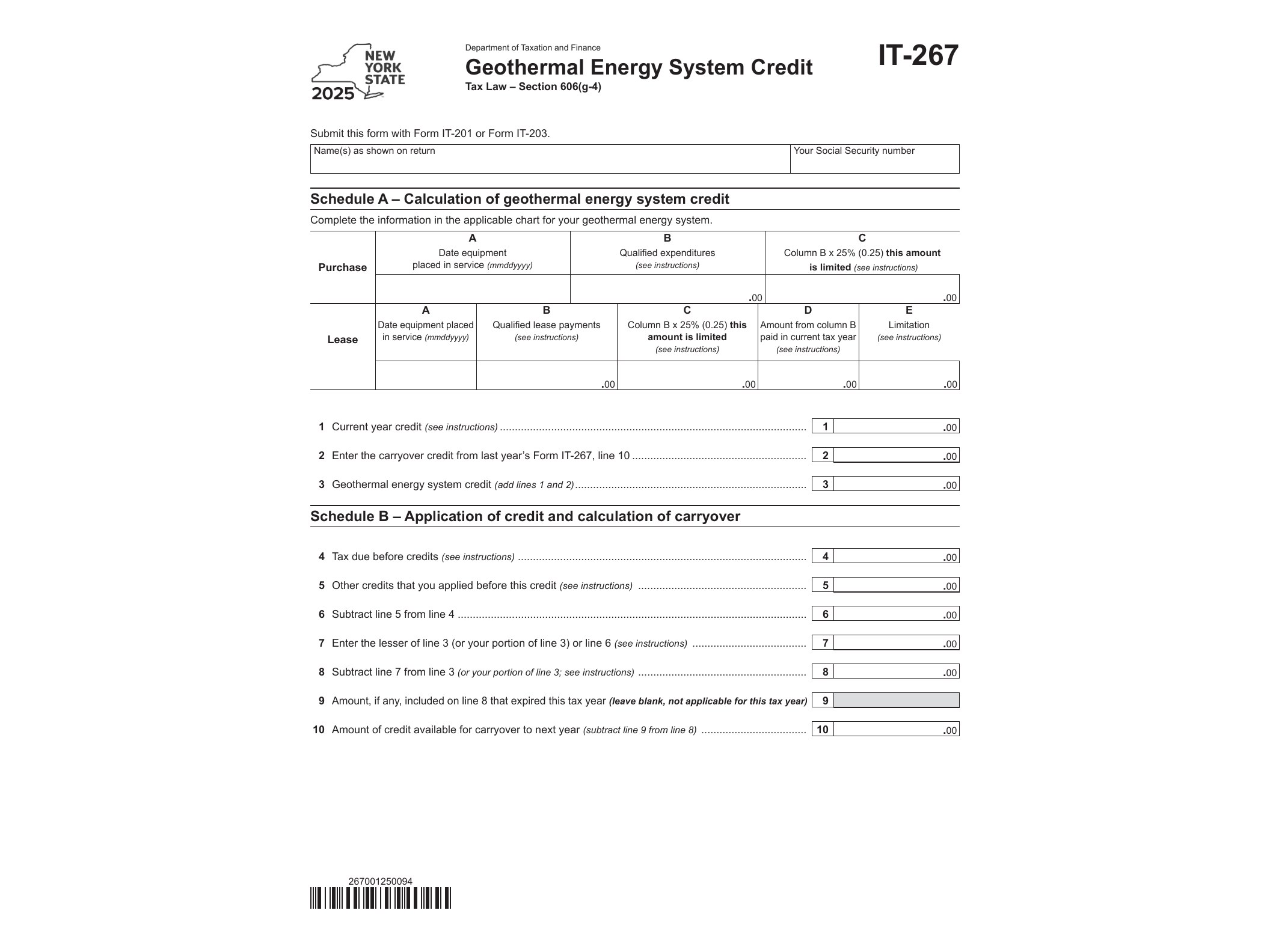
Form IT-267 is the document New York State uses to let homeowners claim a credit for installing a geothermal energy system in their primary residence. If you replaced an old furnace or air conditioning setup with a geothermal heat pump system in New York, this is the form that turns that investment into a real reduction on your state tax bill.
The form is issued by the New York State Department of Taxation and Finance and applies to tax year 2025. It’s a fillable PDF (AcroForm), so you can type your information directly into the document on a computer before printing it or attaching it to your electronic return, instead of filling it out by hand.
Who Needs Form IT-267
You need this form if you’re a New York State resident, part-year resident, or nonresident who paid for a qualifying geothermal energy system installed on residential property you own and use as your principal residence in New York. The credit covers equipment that uses the ground, groundwater, or surface water as a thermal energy source to heat or cool a home, along with the labor and related costs of installation.
Landlords and owners of purely commercial property generally don’t qualify — the credit is aimed at residential energy upgrades. If you co-own the home with someone else and both of you paid for the system, you’ll need to divide the credit between you based on the amount each person actually paid, and each person files their own IT-267.
When to Use It
You file Form IT-267 with your New York State personal income tax return for the year the geothermal system was installed and placed in service. If the installation happened in 2025, this form gets attached to your 2025 New York return. The credit is calculated as a percentage of your qualified geothermal energy system expenditures, subject to a maximum dollar cap, and any unused credit can typically be carried forward to future tax years if it exceeds your tax liability for the year.
Keep your contractor invoices, proof of payment, and manufacturer certifications for the equipment. The Department of Taxation and Finance can ask for documentation showing the system meets the technical requirements for the credit, and without that paperwork, a claim can get delayed or denied.
How to Get and Fill Out Form IT-267
You can download the fillable version of Form IT-267 directly from the New York State Department of Taxation and Finance website. Because it’s an AcroForm, you can open it in most PDF readers, click into each field, and type your entries — your name, Social Security number, address, the installation date, total expenditures, and the calculated credit amount.
The form walks you through the calculation in a straightforward sequence: you enter your total qualified costs, apply the percentage set by the state, compare that against the maximum allowed credit, and carry the final number over to your main New York income tax return. If you’re also claiming a carryover credit from a prior year’s installation, there’s a separate section for that so the current-year and carryover amounts don’t get mixed up.
State-specific credit forms like this one work a bit differently from other tax documents you might be used to. If you’ve dealt with entity-level California filings before — things like Form 199 for exempt organizations or extension payments such as Form 3538 for LPs and LLPs — you’ll notice IT-267 is much simpler, since it’s built around a single household expense rather than business income or entity structure. It’s closer in spirit to substitution forms like Form 3525, in the sense that it’s a supporting document you attach to back up a specific claim on your main return, not a standalone filing.
Once you’ve completed the form, attach it to your New York State income tax return when you file, whether that’s on paper or through approved e-file software that supports IT-267. Double-check your Social Security number and the installation address match exactly what’s on your main return, since mismatches are one of the most common reasons these credit claims get flagged for review.
Download Official Form IT267 (PDF)
Opens the official government PDF in a new tab