
Download Official Form IT272 (PDF)
Opens the official government PDF in a new tab
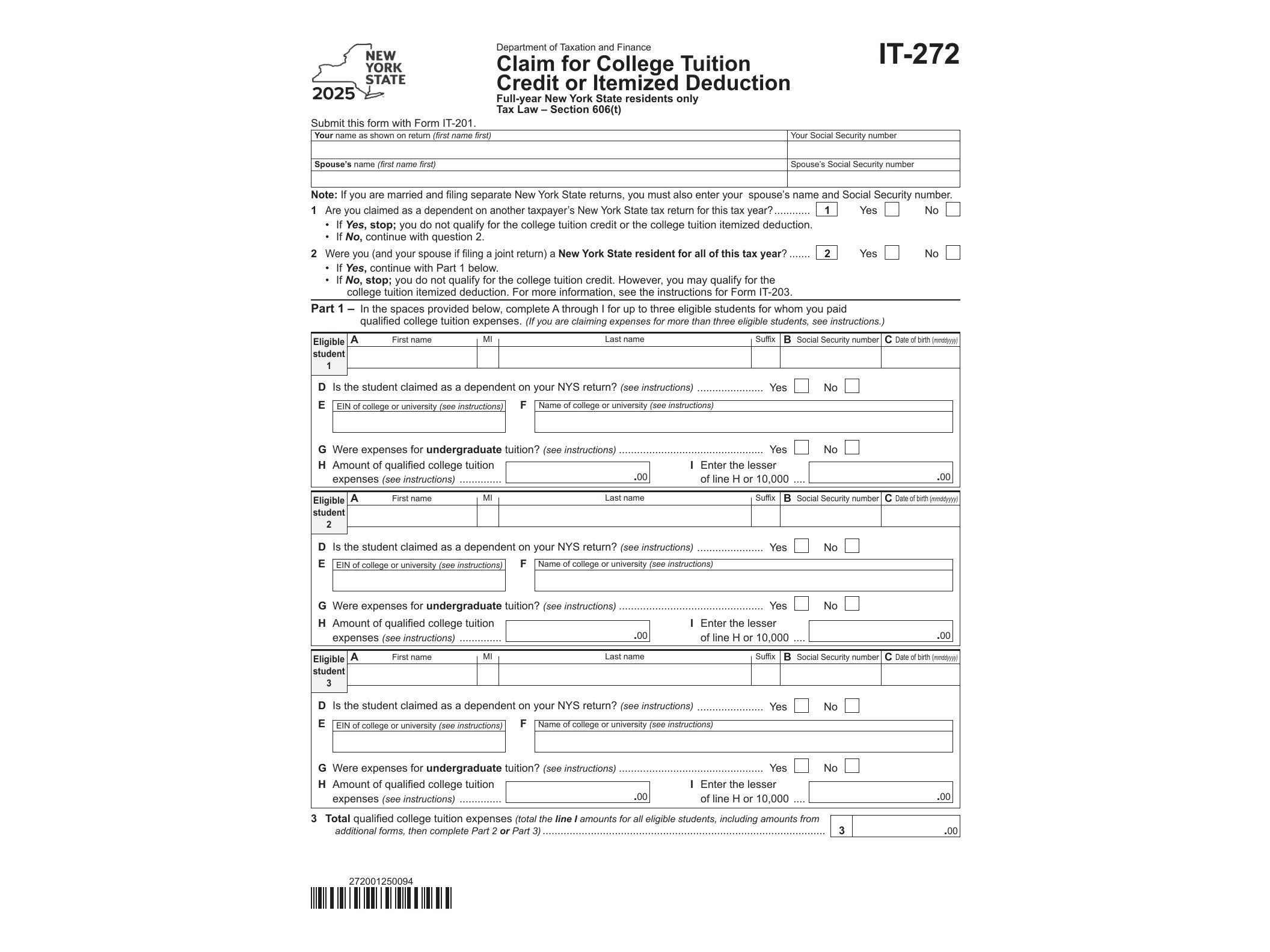
If you or your dependent paid qualified college tuition to a New York State institution during 2025, Form IT-272 is the document that lets you turn part of that expense into either a tax credit or an itemized deduction on your New York State return. It’s issued by the New York State Department of Taxation and Finance, and it’s one of those forms that can genuinely reduce what you owe if you know how to use it.
What Form IT-272 Actually Does
Form IT-272 calculates the College Tuition Credit or the College Tuition Itemized Deduction, whichever gives you a better tax outcome. New York allows taxpayers to claim qualified tuition expenses paid for themselves, a spouse, or a dependent who attended an undergraduate program at an eligible institution. You can’t claim both the credit and the deduction for the same student in the same year, so the form walks you through the numbers so you can compare which option lowers your tax bill more.
The credit is generally more useful for people who take the standard deduction, since it’s a direct reduction of tax owed rather than a reduction of taxable income. The itemized deduction, on the other hand, only helps if you’re already itemizing deductions on your New York return.
Who Needs to File This Form
You need Form IT-272 if you paid qualified tuition expenses in 2025 for:
- Yourself, if you were an undergraduate student at an eligible college or university
- Your spouse, if filing a joint return and your spouse was an eligible undergraduate student
- A dependent you claim on your federal return who attended an eligible institution as an undergraduate
Qualified expenses typically include tuition required for enrollment or attendance, but not room, board, insurance, transportation, or other personal living expenses. The institution also has to meet New York’s definition of an eligible educational institution, which generally means it’s accredited and eligible to participate in federal student aid programs.
Graduate students don’t qualify under this particular credit or deduction — it’s specifically designed for undergraduate education costs.
When and How to Use It
Form IT-272 is filed along with your New York State income tax return, not on its own. You’ll need documentation of tuition payments, usually from a 1098-T form or account statements from the college, since the state may ask for proof if your return is reviewed. The form asks for the student’s information, the institution attended, and the amount of qualified tuition expenses paid during the year.
One detail worth paying attention to: if more than one student in your household qualifies, you calculate the credit or deduction separately for each student before combining the totals on your return. Mixing up per-student calculations is one of the more common mistakes people make with this form.
Because this form interacts directly with other credits and deductions on your state return, it’s worth reviewing your full filing alongside forms like Form IT-269 for the Organ Donation Credit or Form IT-270 for the NYC Income Tax Elimination Credit, since combining credits correctly can make a real difference in your final refund or balance due. If your filing situation also involves shared liability with a spouse, it may help to look at Form IT-280 as well.
Getting the Form
Form IT-272 is a fillable PDF, meaning you can complete it digitally on your computer before printing or attaching it to an electronic filing, depending on how you submit your return. It’s released annually by the New York State Department of Taxation and Finance, and the version for tax year 2025 reflects that year’s income thresholds and instructions. Since the form updates each year, always confirm you’re using the correct year’s version before submitting, since prior-year forms won’t be accepted for a 2025 filing.
Filling it out carefully matters here — errors in the qualified expense calculation or student information are a common reason returns get flagged for review, which can delay processing. Taking a few extra minutes to double-check tuition statements against what you enter on the form usually saves a lot of hassle down the road.
Download Official Form IT272 (PDF)
Opens the official government PDF in a new tab