
Download Official Form IT195 (PDF)
Opens the official government PDF in a new tab
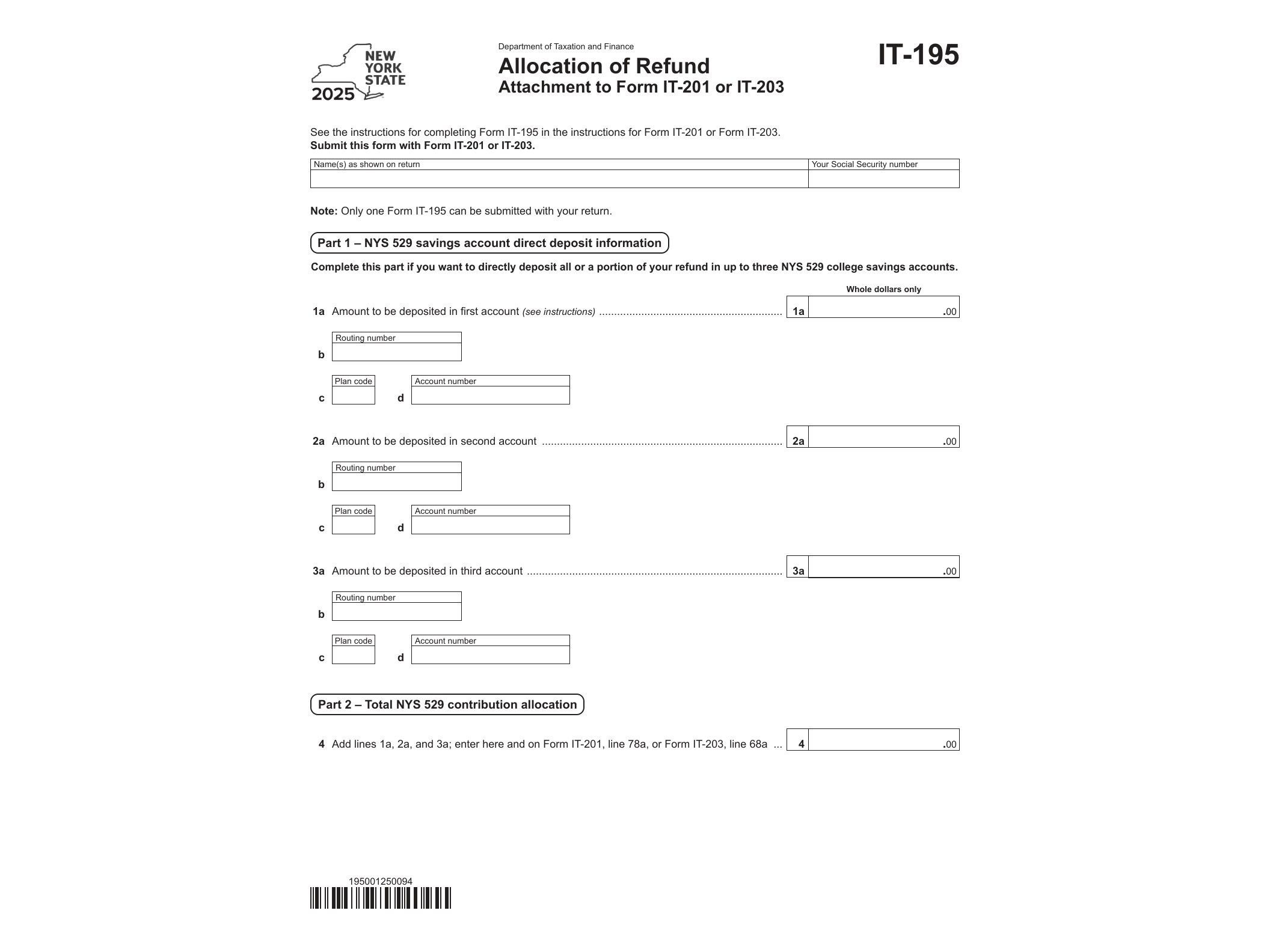
Form IT-195, Allocation of Refund, is a New York State Department of Taxation and Finance form that lets taxpayers split their state income tax refund among up to three destinations instead of receiving it as a single deposit or check. If you want part of your refund sent directly to a New York State 529 College Savings Program account while the rest goes into your checking or savings account, this is the form that makes it happen.
The form works alongside your main New York State income tax return (Form IT-201 for residents or IT-203 for nonresidents and part-year residents). You don’t file IT-195 on its own; it’s attached to your return in the same package, whether you’re filing electronically or on paper.
Who needs Form IT-195
You’ll need this form if you’re due a New York State refund and want to divide it in any of these ways:
- Deposit part of your refund into one or more bank accounts (checking or savings)
- Contribute a portion directly to a New York State 529 College Savings Program account
- Receive the remaining balance as a paper check
If you’re happy having your entire refund go to a single account or arrive as one check, you don’t need this form at all — the standard refund options on your IT-201 or IT-203 cover that. IT-195 exists specifically for taxpayers who want to divide the refund across multiple destinations in a single filing.
When it’s used
Form IT-195 for tax year 2025 applies to refunds generated from returns covering the 2025 tax year, typically filed in early 2026. Parents or grandparents funding a child’s 529 account often use this form as a simple way to route refund money straight into education savings without having to manually transfer funds after the refund lands in a bank account. It’s a convenience tool, not a form tied to any special tax situation or credit.
How to fill it out
The form is a fillable PDF (AcroForm), so you can type your information directly into the fields on a computer before printing or attaching it to an e-filed return. You’ll need to provide:
- Your name and Social Security number, matching your tax return exactly
- The routing and account numbers for each bank account you want to receive part of the refund
- The account number for any NY 529 account you’re contributing to, along with the dollar amount
- The specific dollar amounts allocated to each destination, which must add up to your total refund
Double-check every routing and account number before submitting. Errors here are one of the most common reasons refunds get delayed or misdirected, and unlike a paper check, a misrouted direct deposit can be difficult to recover.
Where to get it
The current version of Form IT-195 is available directly from the New York State Department of Taxation and Finance as a fillable PDF. Because it’s an AcroForm, most PDF readers let you complete it on screen rather than printing a blank copy and writing by hand, which reduces the chance of illegible entries that could cause processing delays.
If you’re also claiming a credit for taxes paid to another state on the same return, it’s worth reviewing Form IT-112-R, the New York State Resident Credit, since that credit affects your final refund amount before you decide how to allocate it. Getting the sequence right — calculating credits first, then splitting the resulting refund — keeps the numbers on IT-195 accurate.
New York isn’t the only state offering ways to direct refunds or manage tax obligations through specialized forms. California, for instance, has its own set of niche forms for specific taxpayer situations, including FTB 2280 PC for the Interagency Intercept Collection Program. Comparing how different state tax agencies handle refund and payment logistics can be useful context if you file in more than one state or move between states.
Once IT-195 is completed and attached to your return, the Tax Department processes the allocation as part of normal refund processing. There’s no separate submission deadline beyond your regular tax filing deadline, and no additional fee for using the form. Keep a copy of the completed form with your tax records in case you need to verify the allocation later.
Download Official Form IT195 (PDF)
Opens the official government PDF in a new tab