
Download Official Form RP496W (PDF)
Opens the official government PDF in a new tab
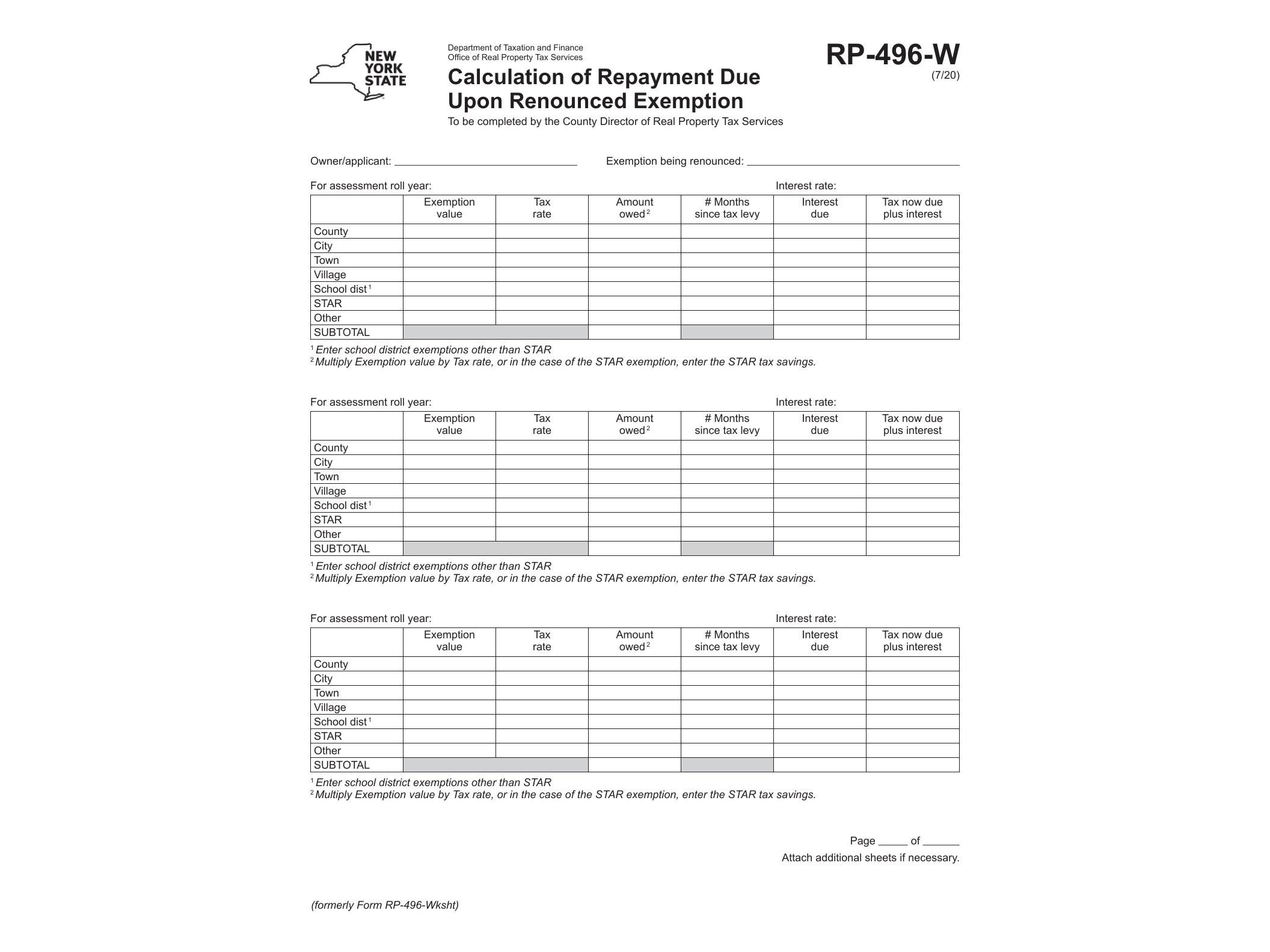
Form RP-496-W, officially titled “Calculation of Repayment Due Upon Renounced Exemption,” is issued by the New York State Department of Taxation and Finance. It’s used in a fairly specific situation: when a property owner who previously received a real property tax exemption decides to renounce that exemption before its normal expiration and the local law or agreement requires repayment of the tax savings already received.
Property tax exemptions in New York often come with strings attached. Many exemption programs — whether for agricultural land, conservation easements, wind energy systems, or other special-use properties — require owners to maintain the qualifying use for a set number of years. If an owner voluntarily renounces the exemption early, or otherwise breaks the terms of the agreement, the assessing jurisdiction may be entitled to recover some or all of the taxes that were previously waived. Form RP-496-W is the worksheet used to figure out exactly how much that repayment amount is.
Who Needs to File Form RP-496-W
This form is typically completed by the property owner in coordination with the local assessor’s office. It applies to anyone who received an exemption tied to a commitment period — for example, an owner who signed a conservation easement agreement, entered an agricultural exemption program, or received an energy-system exemption — and who now wants to end that commitment ahead of schedule.
If you’re unsure whether your exemption carries a renouncement penalty, it helps to review the original application you filed. Owners who benefited from programs like the one described in Form RP-491-A for conservation easement agreements or the wind energy exemption covered in Form RP-487 are the kind of taxpayers most likely to encounter RP-496-W down the road, since both of those programs involve multi-year obligations that can trigger repayment if broken early.
When the Form Is Used
RP-496-W comes into play at the point of renunciation — not when the exemption is first granted. The assessor’s office, or the owner working with the assessor, uses the form to calculate the total tax benefit received over the exemption period and determine what portion, if any, must be repaid based on the applicable statute or local law governing that exemption category. Because the repayment calculation depends on the specific exemption program and how many years remain on the commitment, the numbers can vary significantly from one case to another.
The form itself is a calculation worksheet rather than a request or application, so it’s generally filed as part of the process of formally ending the exemption, not as a standalone submission made on its own initiative.
How to Get and Complete Form RP-496-W
The form is available directly from the New York State Department of Taxation and Finance as a fillable PDF, meaning you can type your entries directly into the document using a computer before printing or submitting it. This is convenient since the form asks for exemption details, assessed values, and tax rate figures over multiple years, which is easier to enter digitally than by hand.
Before filling it out, gather your original exemption approval paperwork, the years the exemption was in effect, and the assessed value history for the property. Local assessors can often provide guidance on which years and rates apply to your specific calculation. Since repayment rules differ depending on the exemption type — similar to how equalization rate matters affecting village assessments can vary by municipality — it’s worth confirming the specific formula with your local assessment office before submitting the completed worksheet.
Once completed, the form is generally submitted to the local assessor’s office rather than mailed directly to the state, since repayment obligations tied to property tax exemptions are administered locally even though the form itself is a state-issued document.
Download Official Form RP496W (PDF)
Opens the official government PDF in a new tab